Animation planning
The animation system, before the first keyframe
Requirements say what the game needs: an idle, a turn-in-place, the three parts of a heavy attack, how a hit interrupts a run. AnimSync keeps them as one connected plan the whole team can read.
Animation sets, shared
Characters do not own planning; animation sets do. A humanoid locomotion set can serve every character on the same skeleton, and each character lists the sets it uses in order. Change the set once and every character that uses it sees the change.
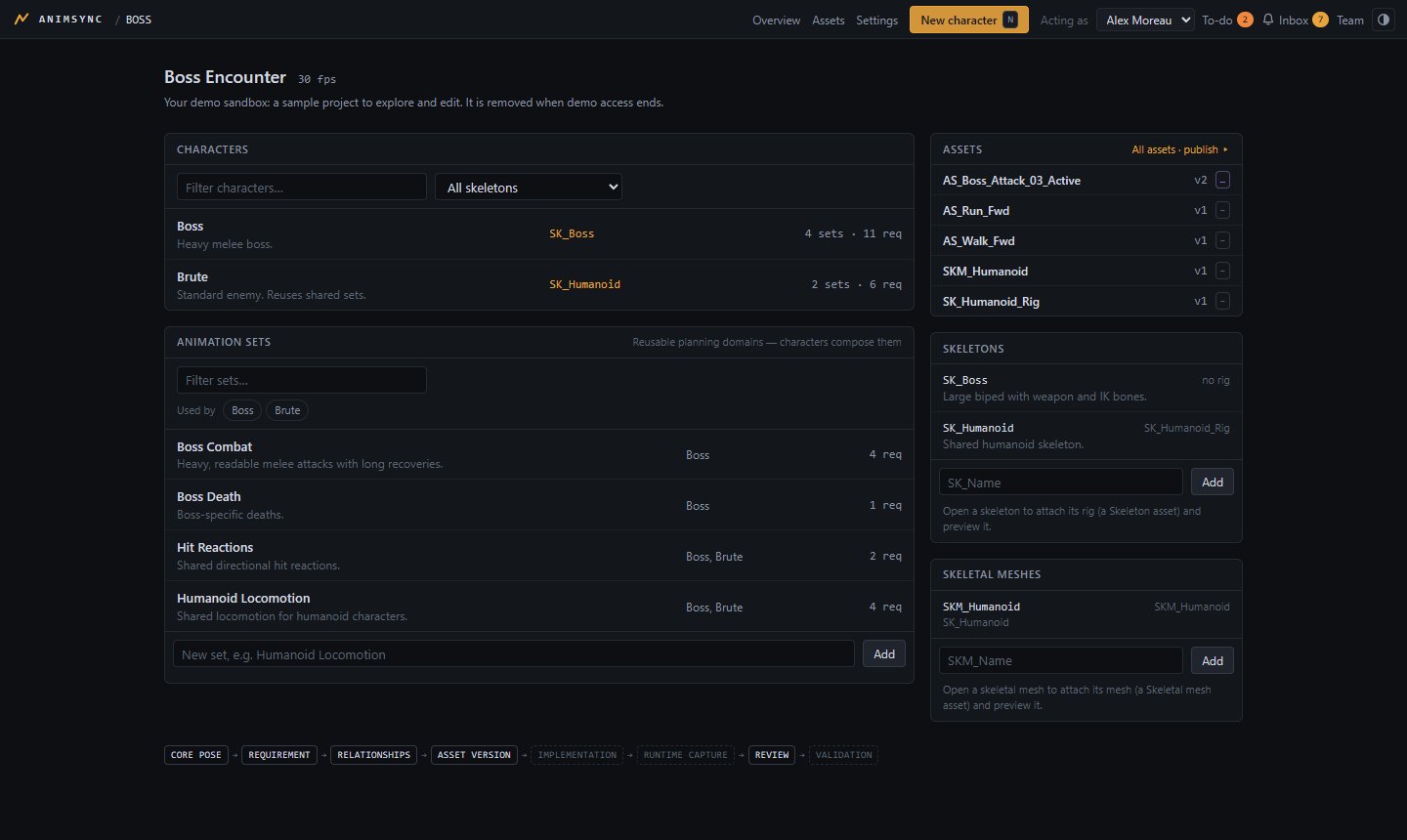
A requirement says exactly what is needed
State and priority
Draft, ready, in production, on hold, cut or done; Urgent to Low; an assignee and a due date.
Frames and flags
Target frame count, looping and root motion, written down before anyone animates.
Composition
A move made of parts, such as Start, Active and Recovery, each its own requirement.
Core poses
Shared poses linked as start, end, key or reference, so transitions line up.
Placeholder review
Notes on a requirement's own timeline before any asset exists (the preview figure is simulated).
History
Every change is recorded. Archive and restore instead of delete.
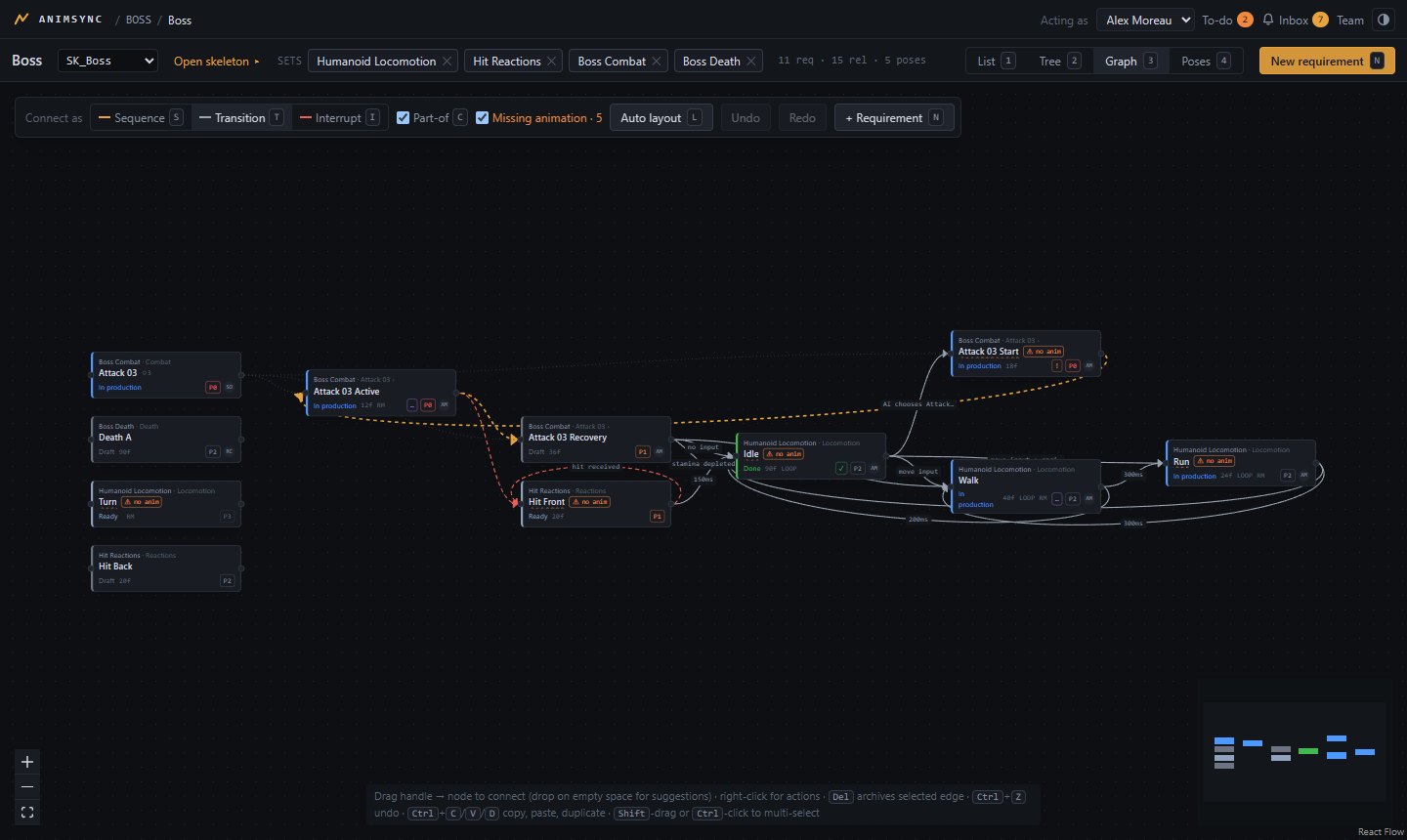
Relationships you can trust
Connect requirements with sequence, transition and interrupt edges carrying priority, blend time, condition and notes. Rules are checked as you draw: sequences stay inside a set and never loop, transitions and interrupts may cross sets.
Drop a connection on empty canvas to create the next requirement right there. Undo, redo, copy, paste and duplicate work across the graph.
From plan to delivery
When assets arrive, they fulfil requirements, and the plan shows what is missing, in review or approved.