Technical animation review
Review the exact frame, of the exact version
Every review belongs to one immutable version with its own timebase, so a note on frame 1012 still means frame 1012 next month. Video for the look, 3D for the technical truth.
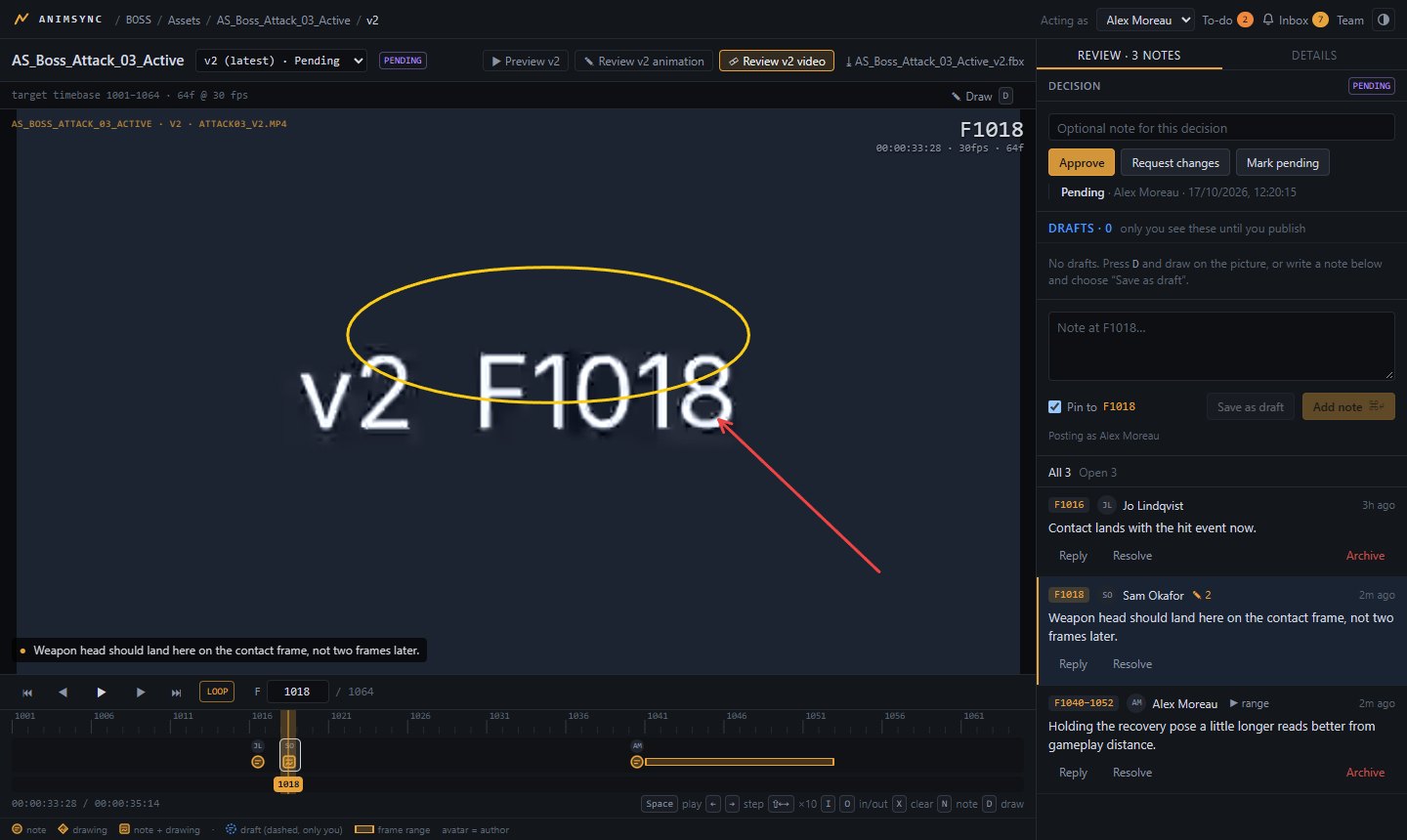
Frame-accurate video review
- MP4 and WebM with an explicit frame rate, start frame and frame count
- Timecode, in/out ranges, frame stepping and keyboard control
- Notes on a frame or a range, with replies and resolve
- Draw on the picture: pen, ellipse and arrow, saved as private drafts until you publish
- Verdicts (pending, approved, changes requested) with full history
3D preview and animation review
glTF 2.0 and FBX 7.x open in the browser, from the source or a lighter preview file published next to it.
Root motion
Follows Unreal's root-motion and root-lock modes, so what you see matches the engine.
Bone spaces
Inspect local, component and world space; view real skin weights per bone.
3D sketches
Draw on the pose in component or bone space; the note keeps the camera you drew from.
Mesh and skeleton
Toggle the mesh and the skeleton; preview clips from other assets on the same rig.
Motion metadata
Distance, speed, acceleration and rotation from glTF sources, with your project's axes.
The version you meant
Open the latest version or an exact one, from the asset or straight from the plan.
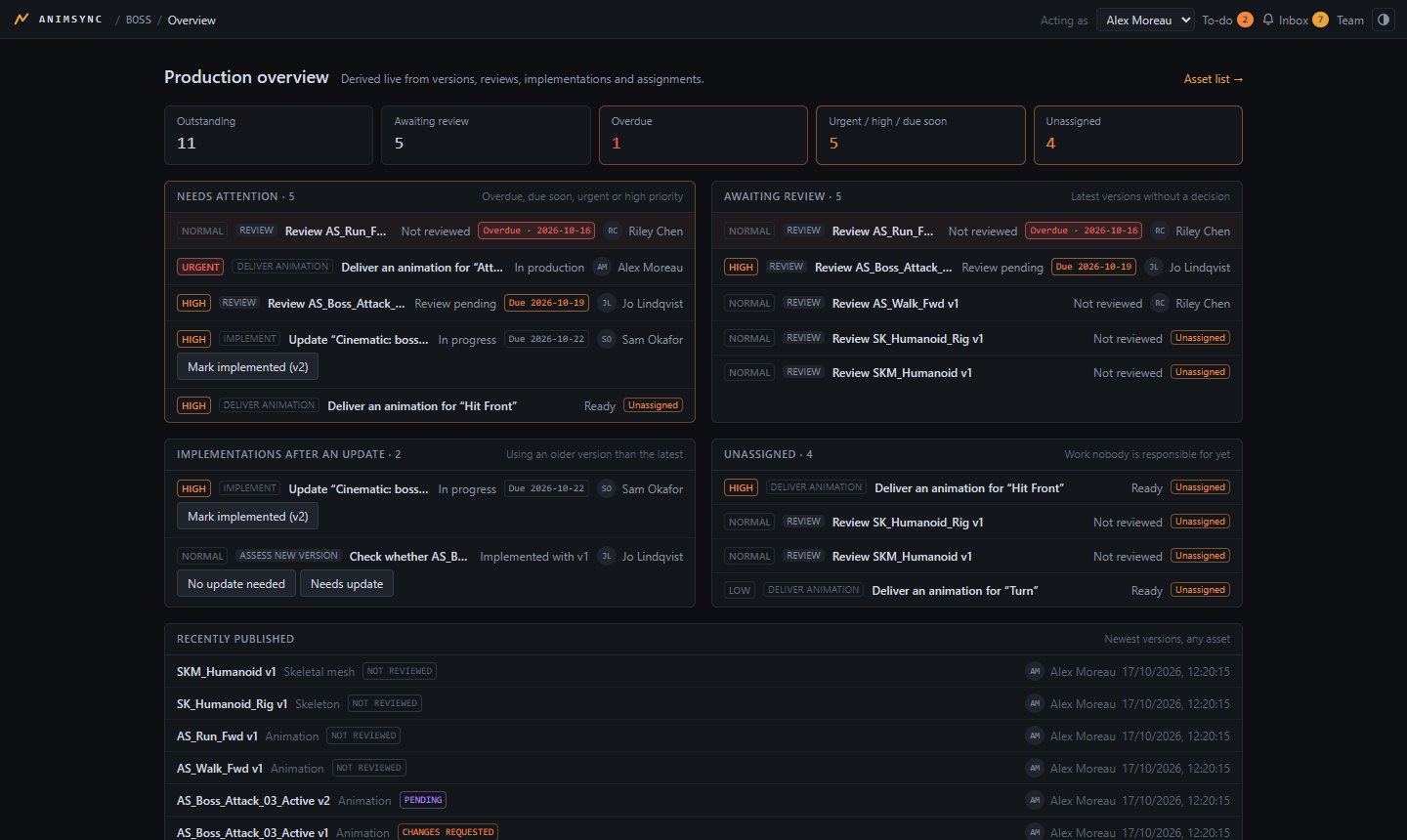
Review is part of production
Each asset has a reviewer. Each place it is used in the game has an implementation with an owner and the version it uses. A new version leaves implementations "behind" until a person records the update, and the inbox tells the right people.
Not yet: video transcoding (upload MP4 or WebM), runtime captures from the engine.